See it, don't imagine it
Your day, already time-blocked
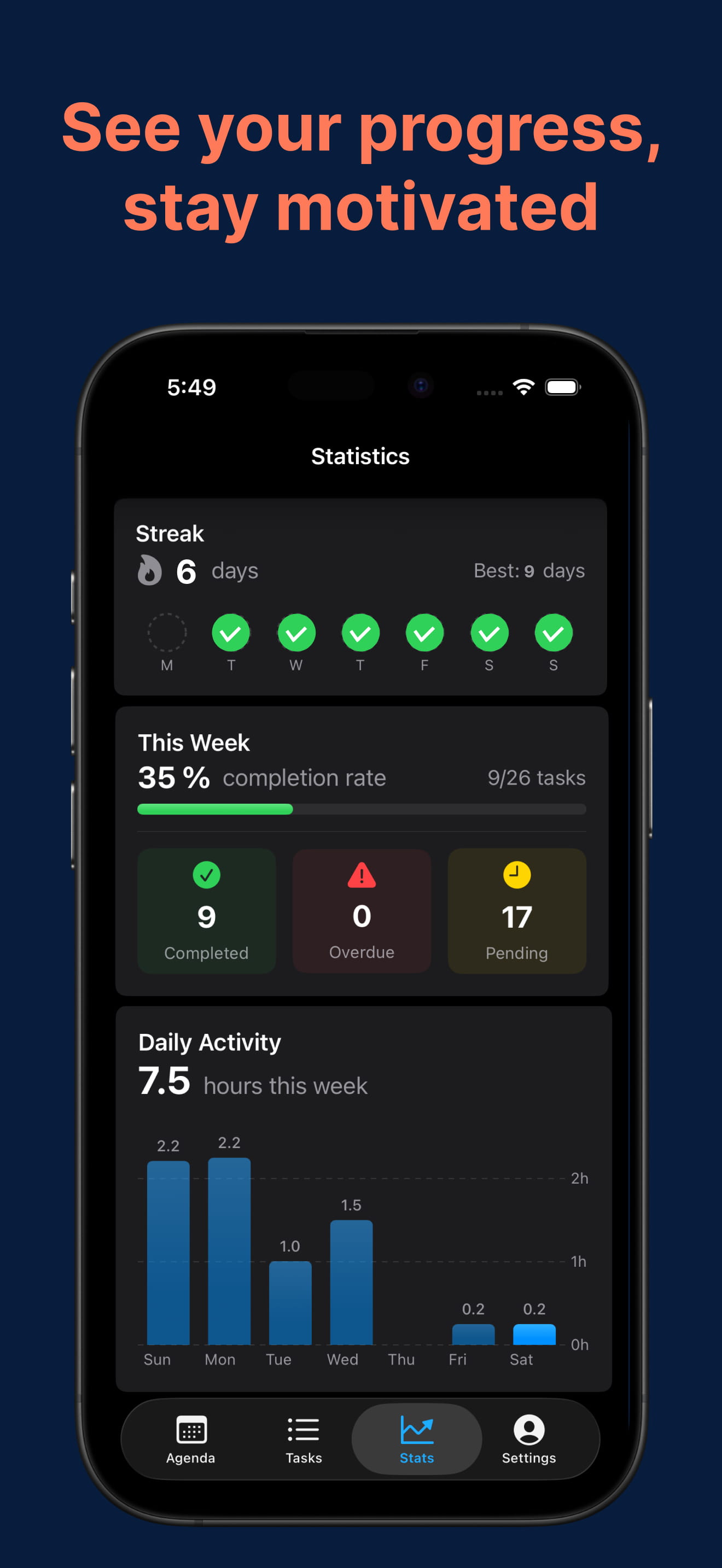
Time Blocking · Automatic Scheduling · Focus
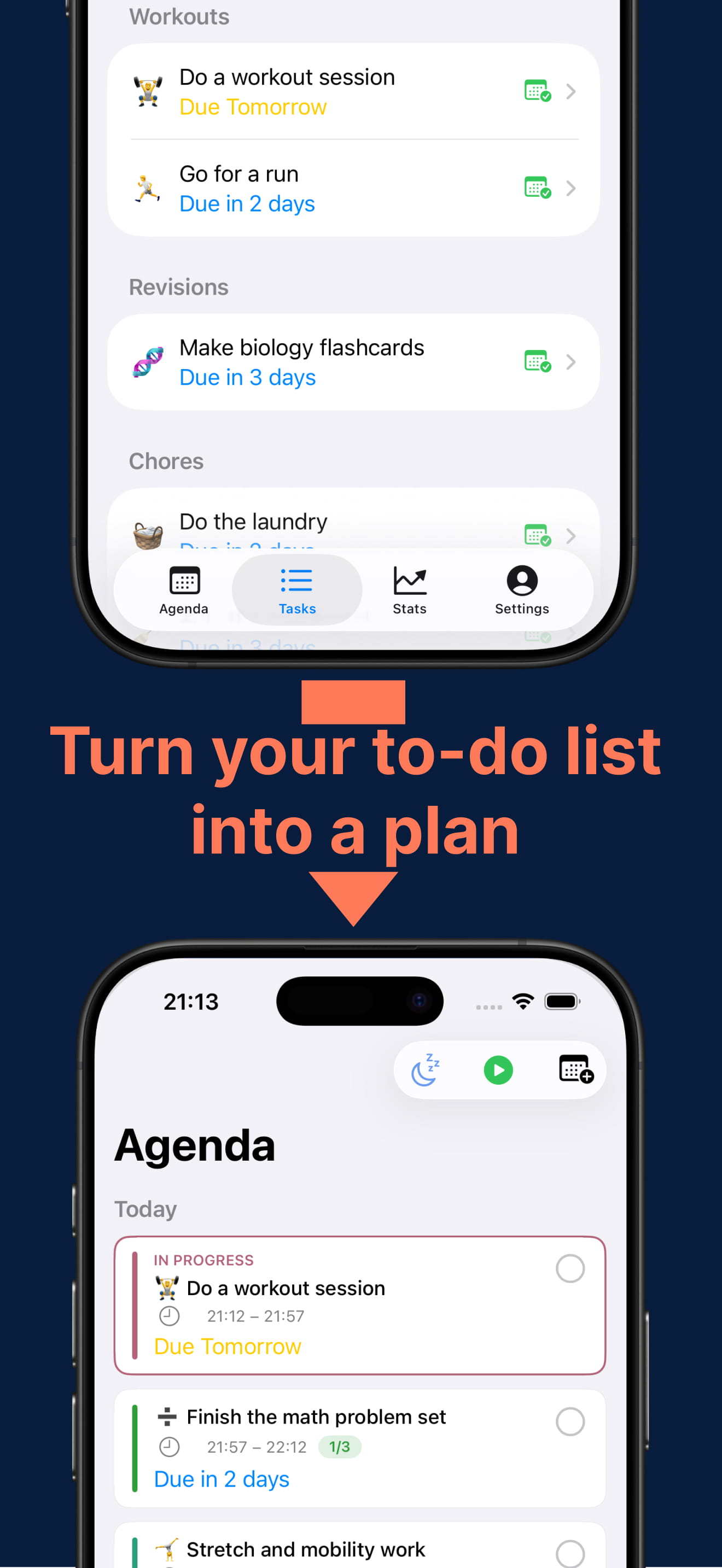
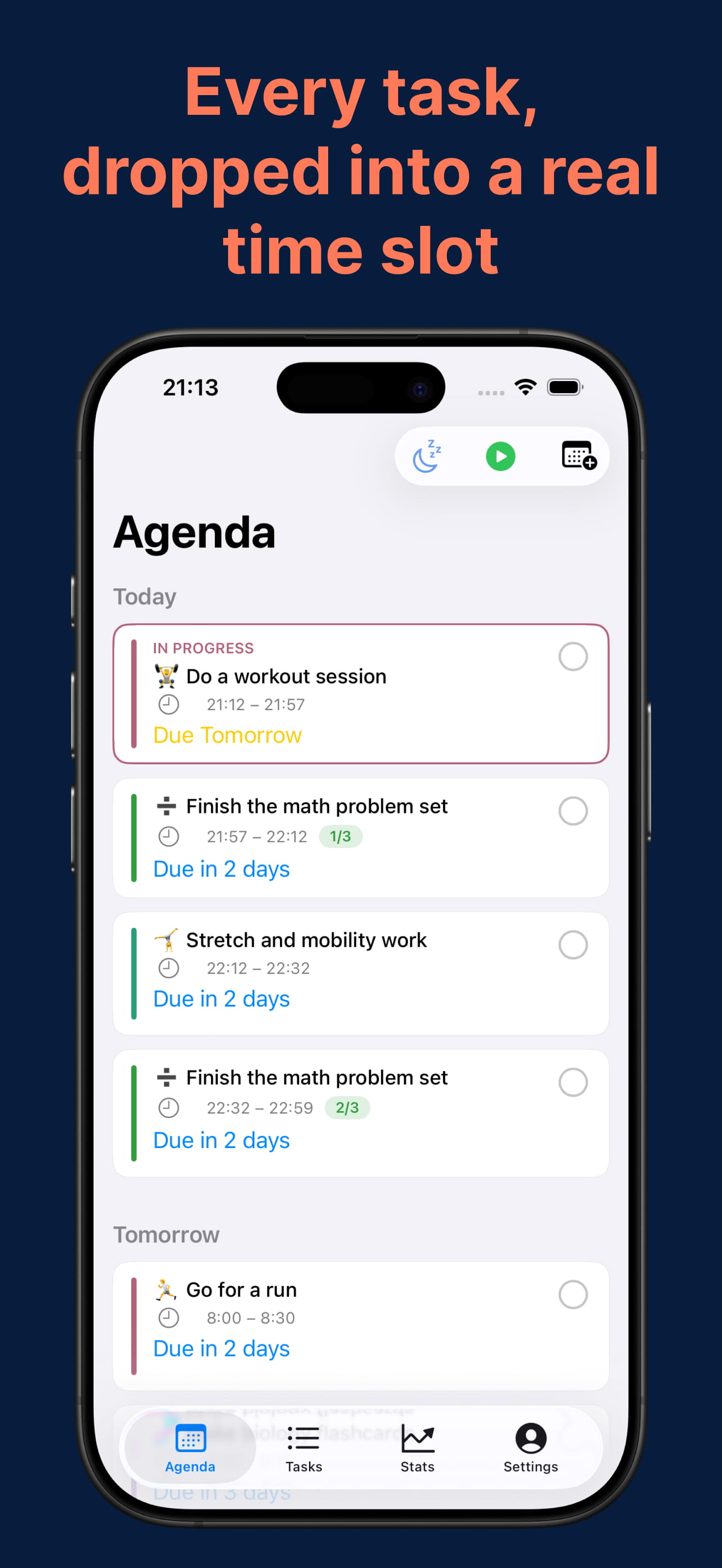
Add your tasks, set a deadline — GoodPlans automatically turns them into a realistic, time-blocked day. No blank page, no dragging things around a calendar. And it doesn't just drop tasks into the next free gap: it weighs what matters against what's urgent, so the important work lands in your day before it becomes a crisis. When things go sideways, one tap reshuffles everything — whether you're juggling a packed workload, chasing deadlines, or managing ADHD.
On-device & private · No ads, ever · iPhone & iPad · EN, FR, DE, ES, JA, 中文
See it, don't imagine it
How it works
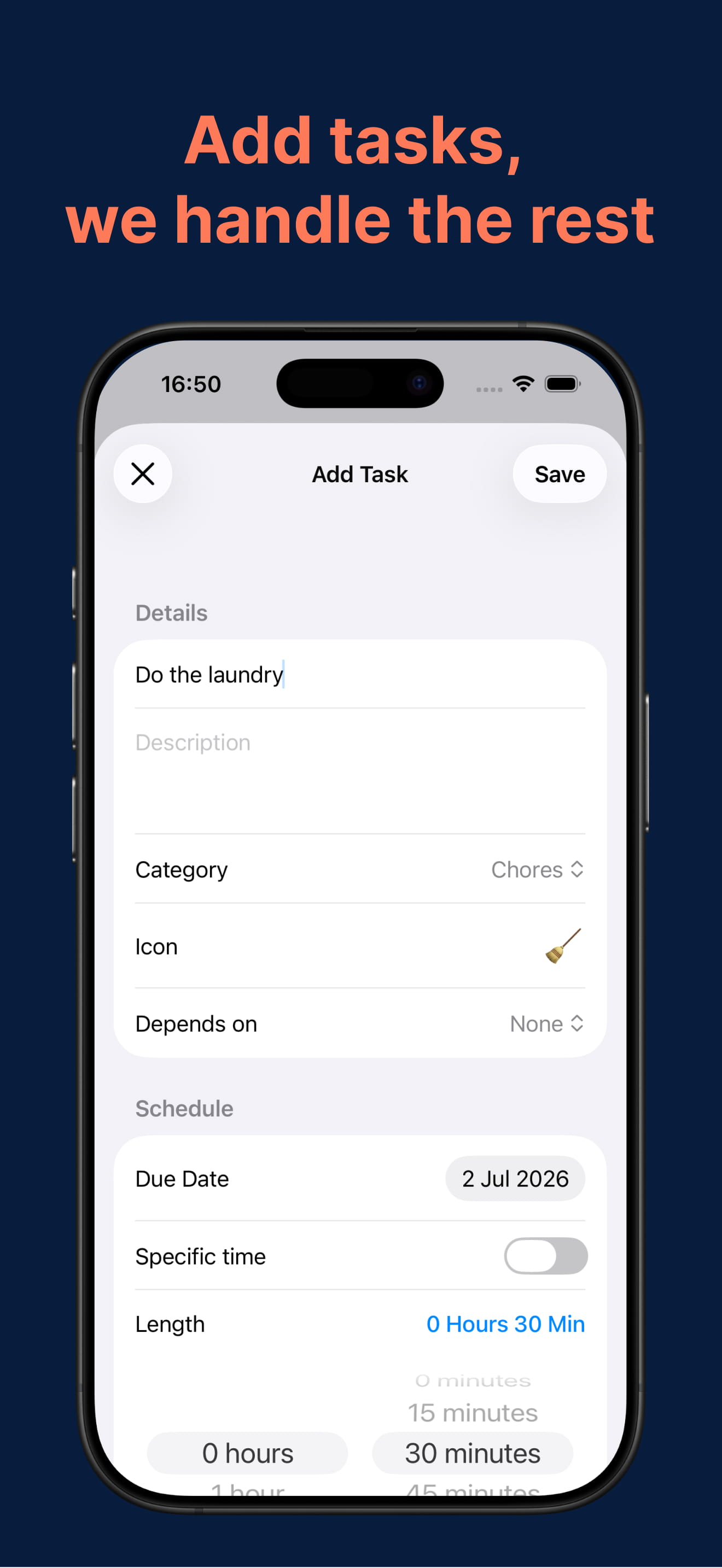
Add what needs doing and when it's due — big or small, work or life. That's the whole job. No time-blocking by hand, no dragging things around a calendar.
In seconds it weighs every task's deadline pressure, the priority you gave its category, and what depends on what — all at once — then time-blocks your whole day. Big tasks are split into focus sessions with breaks, and urgent work claims its slots before it can ambush you.
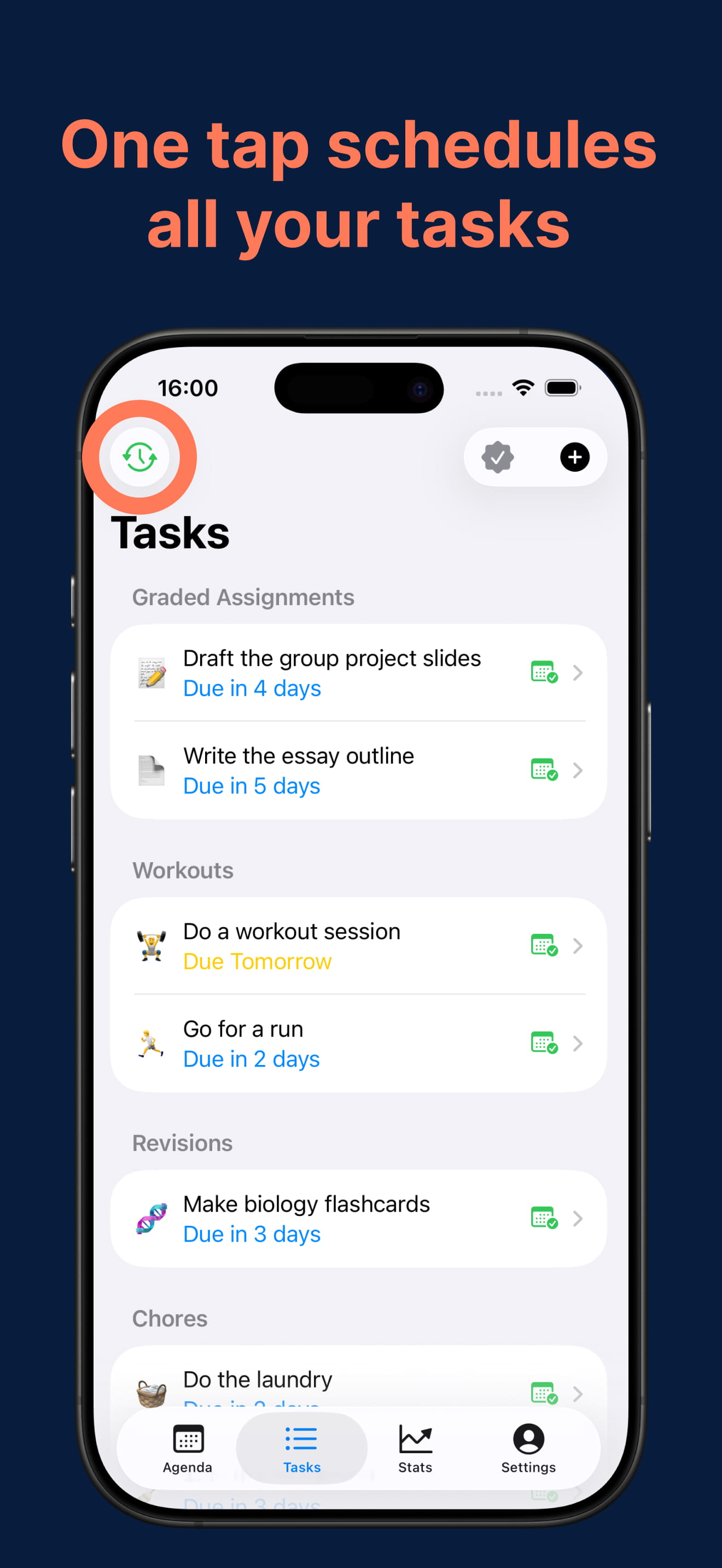
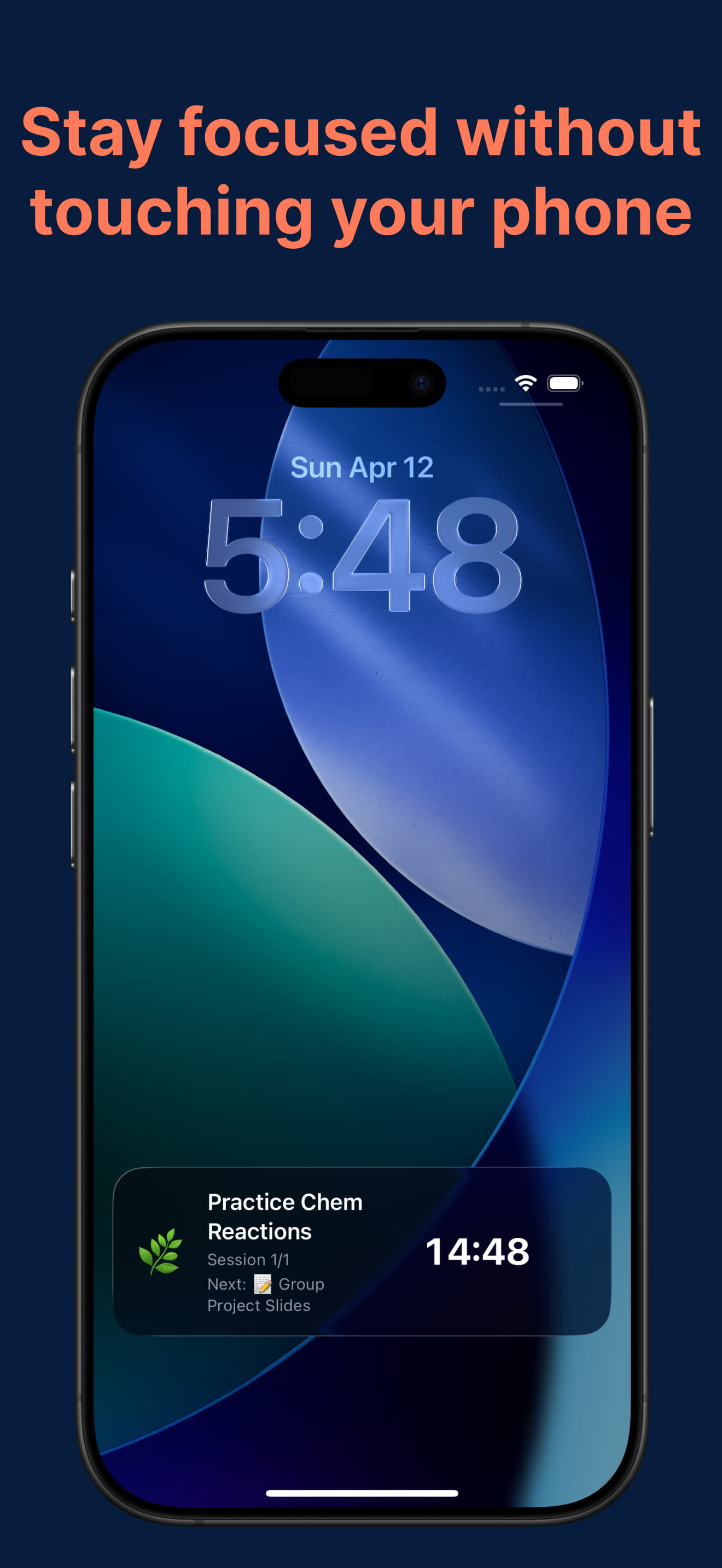
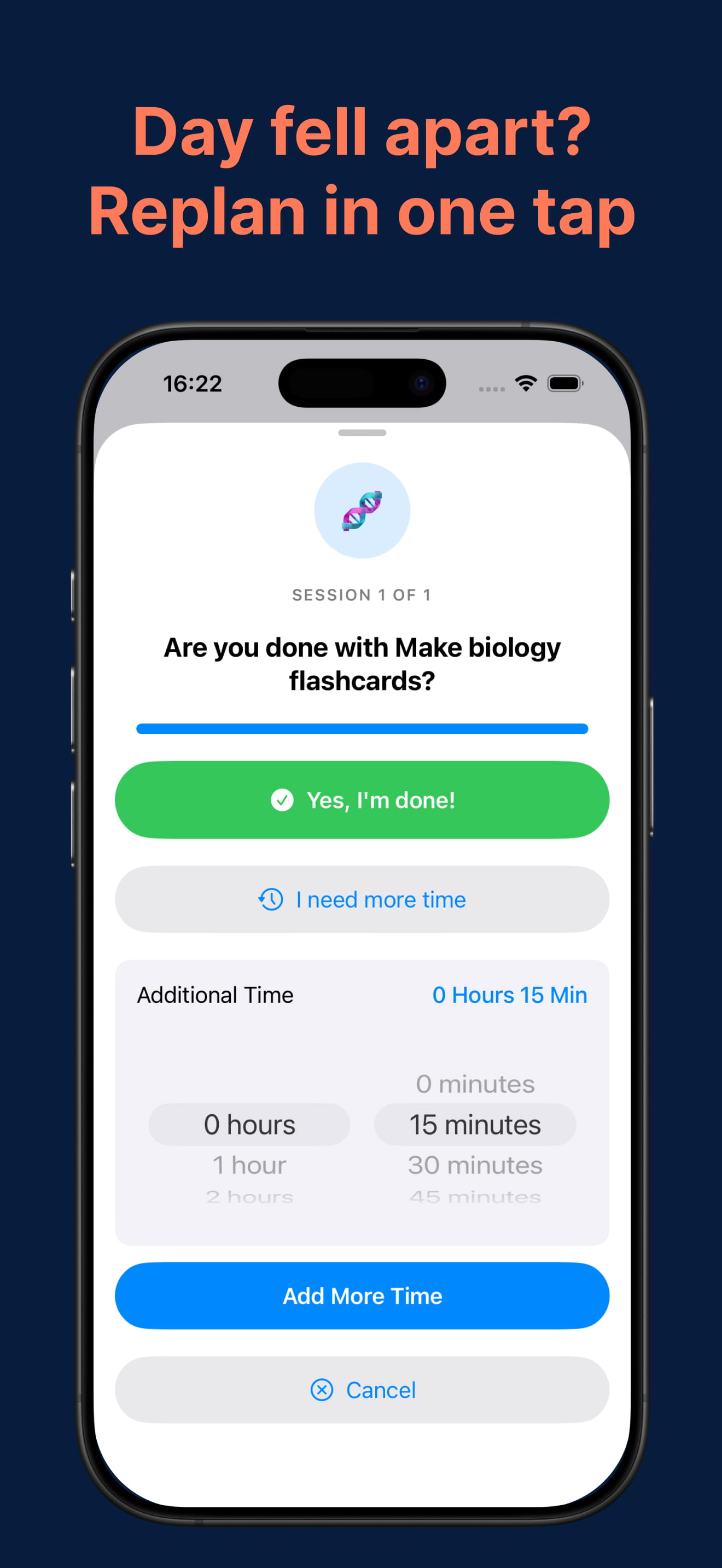
Start any session with the focus timer and a lock-screen countdown. Skipped something? One tap reshuffles the rest into the best open slots. No guilt, no starting over.
Automatic time blocking — deadlines, your priorities and dependencies weighed together, not first-come-first-served.
One-tap rescheduling — the plan bends around your life, not the other way around.
Focus timer — adjustable work and break lengths for your attention span.
Lock-screen Live Activity — current task + live countdown, no phone rabbit hole.
Gentle reminders — focus nudges and deadline alerts so nothing sneaks up.
Private by design — on-device, no account, no ads. Dark mode included.
Under the hood
Most planners that "schedule for you" do the laziest possible thing: they drop your tasks into the next empty gaps, in the order you added them — which buries important work behind whatever you typed first and leaves a big deadline untouched until the night before. GoodPlans is built to actually decide, weighing several things at once and re-deciding as your day fills.
It reads each task's laxity — how much slack remains before the deadline versus how much work is left — so a task quietly running out of room rises in urgency before it becomes a crisis.
Importance isn't guessed. Each task carries the priority of the category you filed it under, and your categories are yours to define. You decide what matters; GoodPlans decides when it happens — around session length and any tasks that depend on others.
It re-evaluates which task deserves the next slot as the day fills — not first-come-first-served — so the plan stays balanced end to end, and lower-priority tasks never get permanently crushed by louder, more urgent ones.
What that looks like in practice: a report due Friday doesn't sit and wait — GoodPlans starts placing sessions for it on Tuesday and Wednesday, in calm blocks, so the deadline applies gentle pressure early instead of ambushing you Thursday night. Move a meeting or skip a session and it recomputes the whole picture, not just the one gap, in a single tap. See exactly how GoodPlans decides what to work on first →
Guides
Practical, no-hype answers to the questions that brought you here — including focus, procrastination and the executive-function side of getting started — and exactly how to solve each one in GoodPlans.
Why most planners get abandoned by week two — and the one feature that changes it.
Read the guide →What auto-scheduling is, how it works, and how to set it up in five minutes.
Read the guide →Why the freeze happens and how removing decisions removes the freeze.
Read the guide →Countdowns, deadline alerts and lock-screen timers that keep "later" from becoming "too late".
Read the guide →A weekly system with exactly one habit to maintain: writing tasks down.
Read the guide →Getting ahead of deadline ambushes by letting the schedule start early for you.
Read the guide →Yes — if the intervals fit your brain. How to tune work/break lengths that stick.
Read the guide →Why manual time blocking collapses by week two — and what makes it stick.
Read the guide →Capture like a list, execute like a schedule — how to get both.
Read the guide →Why it weighs deadlines, priorities and dependencies at once — not just fill gaps.
Read the guide →Compare
Honest head-to-heads against the planners you're probably also considering — including what each of them genuinely does better than GoodPlans. Pick the wrong tool and you'll abandon it in a fortnight; nobody wins that.
Both auto-schedule. One is a team platform priced per seat — the other is $29.99 a year.
Read the comparison →A guided morning planning ritual, or no ritual at all. That's the whole decision.
Read the comparison →The prettiest timeline on iOS — but you still have to fill it in. Automatic vs manual.
Read the comparison →The closest match: a real auto-scheduler with web and Android. Reach vs depth.
Read the comparison →The best-known planner for neurodivergent brains — beautiful, but you still arrange the day.
Read the comparison →Six options for less than $79.99 a year, from visual timelines to full automation.
Read the roundup →The whole category, automatic and manual, with real prices and honest weaknesses.
Read the roundup →One table with all five apps, and three questions that tell you which one you actually need.
See the full comparison →FAQ
Time blocking means giving every task a real slot in your day instead of leaving it on an open list. GoodPlans does the blocking for you: add tasks and deadlines, and it builds the whole day — urgent work first, big tasks split into focus sessions, everything fitted to your availability. When the day changes, one tap re-blocks it. Learn more
Yes — that's exactly what GoodPlans does. Add what you need to do and when it's due; it builds an optimized daily plan in seconds, urgent work first. Learn more
Nothing bad. One tap reshuffles everything into the best open slots. You can also start sessions off-plan, switch tasks mid-session, or log finished work in one tap. No guilt, no starting over. Learn more
A to-do list shows everything at once and leaves the hardest question — what to do right now — to you. GoodPlans turns the list into a schedule: each task gets a real time slot, so you just start the one that's next. Learn more
Yes. Procrastination usually comes from too many open decisions and deadlines that feel far away. GoodPlans removes the deciding and spreads big tasks across the days before they're due, so starting takes one tap instead of an act of will. Learn more
Timed focus blocks work well when the intervals fit your attention span — 25/5 is a starting point, not a rule. GoodPlans' focus timer lets you tune work and break lengths, and schedules the blocks for you. Learn more
Your first 7 days are fully unlimited — no credit card. After that, keep planning free with up to 5 active tasks, or go Premium ($4.99/month or $29.99/year) for unlimited tasks.
Everything stays on your device. No account needed. No ads, ever.
Add your tasks tonight — wake up to a day that's already time-blocked. Free for 7 days, unlimited, no credit card.
Get GoodPlans on the App Store